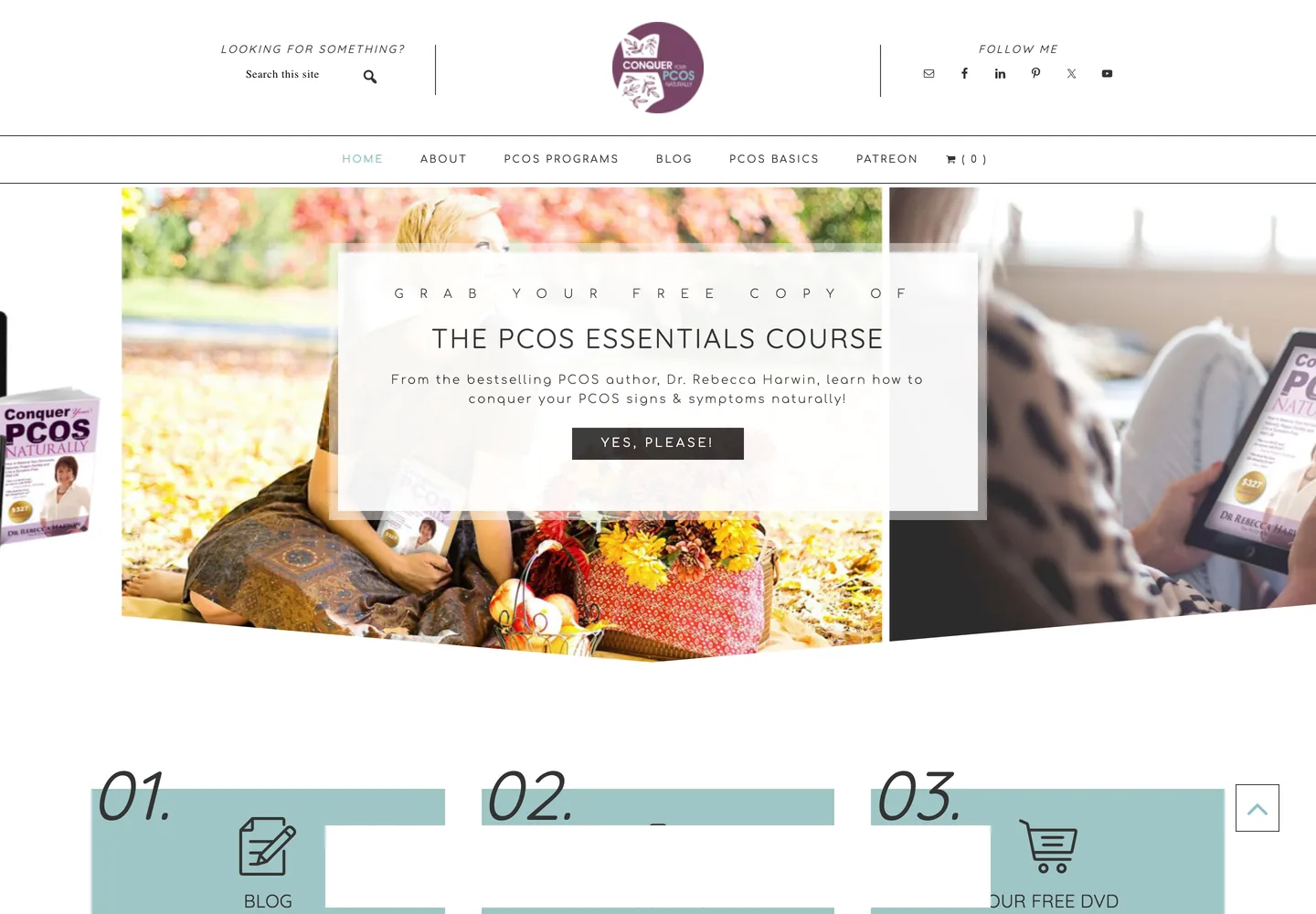
On 9 August 2026, I was hired by Dr Rebecca Harwin to handle a WordPress migration and rebuild Conquer Your PCOS Naturally, a health publication for women with polycystic ovary syndrome. She is a chiropractor and published author based in Australia, and has been writing there since 2012, publishing 255 articles.
Context
The site had reached a point where updating one thing could break something else. She wanted to get it back into a state where it could be maintained, speed up the WordPress site and improve SEO, in that order.
There were also some strict requirements. The new site had to use native Gutenberg instead of page builders, with no WooCommerce, membership system or email marketing. There would also be no sliders, pop-ups, animations or custom code. Customer and order data should not be carried over either, since the sales side would be handled elsewhere later.
Most importantly, every published article had to keep its existing URL.
Investigation
The old site was running Genesis with WPBakery, PHP 7.4.33 and 48 active plugins. Three of those were caching or optimization plugins running at the same time. It's pretty safe to say that having so many things in the stack is one of the reasons why updating the site was so risky.
Before logging into WordPress, I audited the site through its public REST API and sitemaps. There were 255 published articles, 128 pages, 943 tags and around 1,373 indexed URLs. A lot of those articles had been ranking for years.
None of the posts used WPBakery, while 22 of the 128 pages did. Out of the 128 pages, 98 were not covered by the brief she handed me, and 54 of those needed a decision about what should be done with them. I put the pages into an inventory with a proposed action for each group instead of asking Rebecca about them one by one. She approved the resulting plan.
The export also contained data that I didn't want to carry into the new installation, including old WooCommerce orders, form submissions and mail logs. The SEO data was different. Yoast had 289 meta descriptions, 285 focus keywords and 273 titles in the export. All of those were to be carried over when migrating.
I also found Cloudflare in front of the site even though it wasn't mentioned in the brief. That mattered for the eventual switch because I was dealing with three caches now.
WordPress migration
I set up a fresh WordPress installation on a staging subdomain, disabled indexing and bypassed Cloudflare so I could work without affecting the live site.
The permalink structure was set to /%postname%/ before importing anything. Since WordPress assigns slugs as content is inserted, I wanted the new installation to use the same structure before importing any content.
For the media, I copied the files directly over the server instead of having them fetched over HTTP. I regenerated the thumbnails, and then imported posts, pages, media, categories, tags and comments.
For the WordPress migration, I wrote a verification script that compared every published post URL against the pre-migration export, and exited with an error whenever it found a mismatch. I tested it with a clean import first, then deliberately changed a slug to make sure the check actually fails.
The WPBakery to Gutenberg conversion was also handled with a script. It converted the pages using WPBakery into Gutenberg blocks and flagged anything it couldn't handle instead of silently dropping it. In total, 24 items went through the conversion, 15 came out clean and 9 were flagged for manual changes.
I kept PHP at 7.4.33 while staging because the host only allowed one PHP version per account. Changing it on staging would have changed it for the live site too.
For the rollback, I kept the old database untouched and put the rebuilt site in its own directory and database. If something went wrong during the switch, I could rename the directory back instead of restoring a database or trying to undo the migration.
Checking the content
I started with a spot-check of the top 20 pages after the conversion. None of them showed any leftover shortcode content. I then ran the full scan across every published post and page, and found 36 unregistered shortcodes and two actual defects.
One of those defects was /pcos-programs/, which still contained 29 raw WPBakery shortcodes. Rebecca had approved the page to be kept as part of the page inventory, and it was also the parent of a menu item. The conversion script had converted the page, but the converted page was never imported because it wasn't included in the original rebuild list.
I also found a URL collision that the earlier checks missed. An image attachment had the same name as one of the pages, and during the import the attachment ended up occupying the page's URL. WordPress then appended -3 to the page, meaning its URL was no longer the one it had on the old site. My first collision check had only compared pages with other pages, while the importer itself doesn't care about post type. The final URL verification caught it though.
Two other post URLs contained a literal %e2%80%a8, which is an invisible line separator that had been pasted into the URLs years earlier. WordPress strips the % during import, which changed those URLs and caused the posts to return 404s. I restored both with direct SQL and told Rebecca about the malformed URLs afterwards, rather than just changing them.
There were also duplicate H1 headings. Rebecca spotted the problem while reviewing the rebuilt pages. The theme was rendering the page title as an H1 while the page still had its own H1 for that. I found the same problem on seven pages and fixed them. /success-stories/ was the worst example, with seven H1s because its testimonials had been marked up as headings.
She also found two menu links pointing to the Coming Soon page even though the actual coaching pages were working correctly. The pages themselves were fine, so I corrected the menu links to point to the actual pages.
Optimizing the WordPress stack
Once the content was done, I could start removing the old stack instead of carrying it into the new site. The old site had 48 active plugins. I went through what each one was doing and removed functionality that was no longer needed. The rebuilt site ended up with 9 plugins.
WPBakery was the biggest and obvious example. The requirement was native Gutenberg, so there was no reason to keep a page builder around after the pages conversion. The same applied to the old WooCommerce functionality, membership features and other pieces that the new site was not supposed to have.
Another example was Shortcodes Ultimate. It only had two remaining uses, both being YouTube embeds. I replaced those with native embed blocks.
I also worked through the frontend, instead of assuming that the plugin count was the only problem. The homepage had a 1,727 KB logo file, which I reduced to 51 KB. The homepage's mobile PageSpeed score went from 38 to 100, while the desktop score went from 68 to 100. More importantly, mobile LCP went from 9.8 seconds to 1.4 seconds, and CLS went from 0.398 to 0.
The rebuilt site had much less functionality to load, smaller assets, and a simpler stack overall.
I also kept the PageSpeed results as they actually came back. One desktop run returned 78, while three consecutive reruns returned 100. I left the 78 in the report instead of dropping the outlier just because the other runs looked better.
Going live
By Thursday, 13 August, the site was ready for the switch. I tested the contact form with a real message and waited for Rebecca's approval. She gave the go-ahead on Friday.
The actual switch happened at about 3am her time on Saturday, 15 August. The new site had its own database and directory, while the old database was left untouched. That meant the rollback procedure was just renaming the directory back, in case something happened.
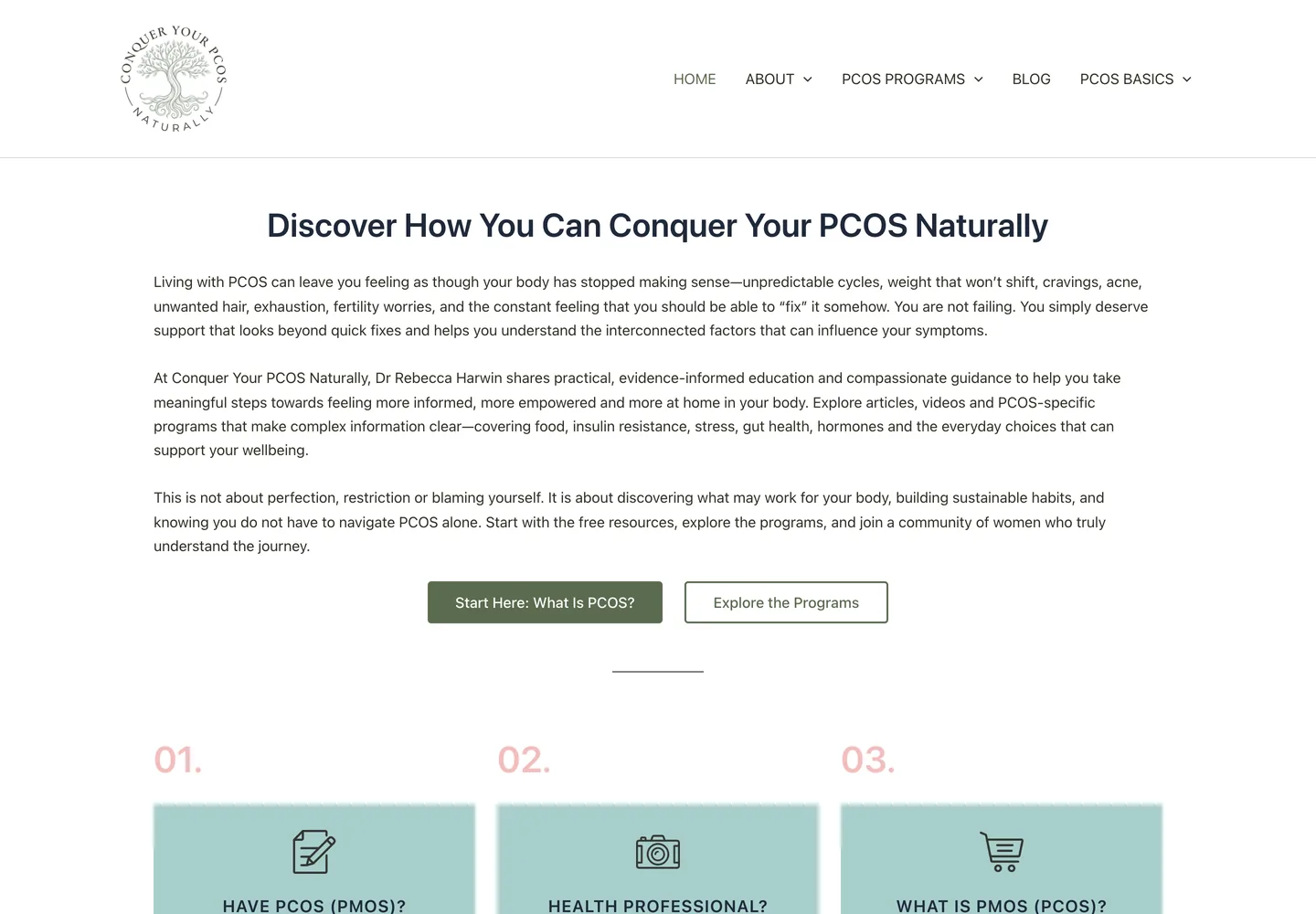
The site was down for under two minutes. With the old stack retired, I switched PHP to 8.2.33 in the same window. Then I ran the full URL check against the live domain: 1,370 URLs, 1,270 returned 200, 100 redirected on purpose, and none returned 404.
After launch
One problem showed up two days later while I was preparing the guide for Rebecca. Her own WordPress account had been imported as a subscriber instead of an administrator. The XML importer creates imported authors as subscribers, and nobody had tried to log into the account yet, so it had gone unnoticed. Had it shipped that way, the first instruction in the guide would not have worked.
The search work came after the rebuild. On 18 August, Rebecca asked if there were obvious things she could improve for search. Instead of giving her a generic SEO checklist, I ran through her Search Console data.
My initial read made the organic traffic look effectively zero because Search Console was showing the default three-month window. Looking at twelve months instead showed 124,080 impressions and 359 clicks, with a 0.29% CTR. The site was getting visibility, but not enough clicks.
One useful example was the spelling of estrogen. Search Console showed 51 queries containing "estrogen" with 9,922 impressions, compared with one "oestrogen" query with 690 impressions, and that's roughly a 14:1 difference. Her titles were using the British spelling only, so the spelling many searchers were actually using wasn't in the titles. I changed the SEO titles on five posts to include both spellings. Those posts accounted for 22,954 impressions, and none of their URLs changed.
The other obvious problem was the tag archive structure. There were 943 tag archives for 255 articles, 740 of them wrapping a single post, while 391 were empty. One tag page was even outranking the article it was supposed to help.
I set the tag archives to WordPress noindex, deleted the empty tags and redirected nine single-post tags that had real impressions to their corresponding articles. I also merged two author archives that belonged to the same person.
There was one last thing that I just got wrong. On 1 September, Rebecca told me Google Analytics wasn't receiving any data. The old site only had Universal Analytics, so the rebuild hadn't broken an existing GA4 setup. I fixed it through a plugin she already had, leaving the snippet editable for her.
And finally, the client also received an 11-page illustrated guide, the plugin cleanup report, raw before-and-after PageSpeed data, an editable redirect map and the SEO opportunities report.
"Thanks for going above and beyond and for making this project easier than I worried it might be."
Dr Rebecca Harwin, Conquer Your PCOS Naturally
Lessons learned
The main takeaway from this project is that the obvious problem is not always the whole problem. The plugin count made the old stack look like the main performance issue, but checking the frontend separately is what led me to the 1,727 KB logo.
I also wouldn't rely on a migration looking correct just from a few spot-checks. The 20-page sample was useful, but the full shortcode scan and URL verification still found things the sample didn't. The URL collision in particular was caused by an attachment taking a page's URL, which wasn't something my first collision check considered.
And the Google Analytics issue was simply something I missed. I had said I would verify that Analytics was receiving traffic after the migration, but I didn't do it. Rebecca found the problem after launch, and I fixed it for free through a plugin she already had. It was a small issue, but it was still on my checklist, so I should have caught it myself.
Conquer Your PCOS Naturally is live at conqueryourpcosnaturally.com (opens in new tab).