
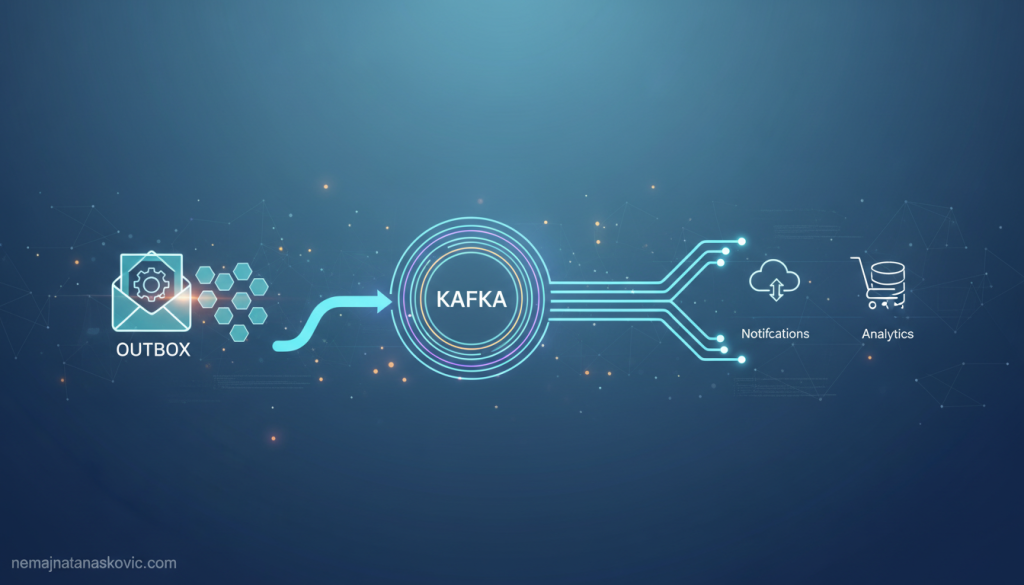

Every day, companies like Netflix and Uber process millions of events through distributed systems, relying on patterns like the outbox pattern with Kafka to guarantee data consistency and reliable messaging.
What makes the outbox pattern Kafka approach so essential for building robust, event-driven microservices?
Let’s roll up our sleeves and demystify this pattern, breaking it down into bite-sized, practical steps. We’ll explore why the outbox pattern is a game-changer for microservices, how it works with Kafka, and how you can implement it in your own projects—without losing your mind to race conditions or data loss.
Why Microservices Need the Outbox Pattern (and Why Kafka Shines)
Imagine you’re building an e-commerce platform. When a customer places an order, your OrderService needs to save the order in its database and notify other services—like InventoryService and ShippingService—that something exciting just happened. Sounds simple, right?
But here’s the catch: if you save the order in your database and then try to publish an event to Kafka, what happens if your service crashes in between? You might end up with an order in your database that nobody else knows about. Or, even worse, you might publish an event about an order that never actually got saved. Yikes.
This is the classic dual-write problem. It’s like trying to pat your head and rub your belly at the same time—tricky, and prone to embarrassing mistakes.
The outbox pattern swoops in to save the day. By using an outbox table and Kafka together, you can:
- Guarantee atomicity: Either both the database change and the event are recorded, or neither is.
- Avoid data loss and duplication: No more phantom orders or missing notifications.
- Decouple services: Each service can focus on its own data and events, without worrying about the timing of external systems.
Let’s see how this works in practice.
The Outbox Pattern: A Friendly Walkthrough
At its core, the outbox pattern is a simple but powerful idea:
- Write your business data and the event to an outbox table in the same database transaction.
- A separate process (the outbox relay) reads the outbox table and publishes events to Kafka.
- Once the event is safely published, mark it as sent or remove it from the outbox.
This way, you never have to worry about losing events or sending them twice. The database and the outbox are always in sync.
Let’s break it down with a concrete example.
A Day in the Life of an Order
Suppose Alice places an order for a shiny new laptop. Here’s what happens behind the scenes:
- The
OrderServicereceives Alice’s request. - It starts a database transaction.
- It saves the order to the
orderstable. - It also inserts a new row into the
outboxtable, describing theOrderCreatedevent. - The transaction commits. Both the order and the event are safely stored.
- Later, the outbox relay picks up the new event from the outbox table and publishes it to a Kafka topic.
- Other services (like
InventoryService) consume the event and do their thing.
No more race conditions. No more lost messages. Just smooth, reliable event-driven magic.
How Kafka Fits Into the Outbox Pattern
Kafka is the superstar of event streaming. It’s fast, durable, and built for exactly this kind of scenario. When you combine the outbox pattern with Kafka, you get:
- Durable, replayable event logs: If a consumer goes down, it can catch up later.
- Scalability: Kafka can handle thousands of events per second without breaking a sweat.
- Loose coupling: Services don’t need to know about each other—they just read and write events.
But there’s a catch: you need to get your events from the outbox table into Kafka reliably. That’s where tools like Debezium come in, automating the process and making your life easier.
Anatomy of the Outbox Table
Let’s peek under the hood. What does an outbox table actually look like?
Here’s a typical schema:
CREATE TABLE outbox (
    id UUID PRIMARY KEY,
    aggregate_type VARCHAR(255) NOT NULL, -- e.g., 'Order'
    aggregate_id VARCHAR(255) NOT NULL,   -- e.g., order ID
    event_type VARCHAR(255) NOT NULL,     -- e.g., 'OrderCreated'
    payload JSONB NOT NULL,               -- event data
    created_at TIMESTAMP NOT NULL DEFAULT NOW(),
    processed BOOLEAN NOT NULL DEFAULT FALSE
);
- id: Unique identifier for the event.
- aggregate_type: What kind of entity is this about?
- aggregate_id: Which specific entity?
- event_type: What happened?
- payload: The juicy details (as JSON).
- created_at: When did this happen?
- processed: Has this event been sent to Kafka yet?
You can tweak this schema to fit your needs, but the core idea is always the same: store events alongside your business data, in the same transaction.
Implementing the Outbox Pattern with Kafka: Step-by-Step Guide
Ready to get your hands dirty? Let’s walk through a practical implementation of the outbox pattern Kafka style, using Java and Spring Boot. (Don’t worry if you use another language—the principles are the same!)
1. Writing to the Outbox Table
First, let’s update our service to write both the business data and the event to the outbox table in a single transaction.
@Service
public class OrderService {
    @Autowired
    private OrderRepository orderRepository;
    @Autowired
    private OutboxRepository outboxRepository;

    @Transactional
    public void createOrder(Order order) {
        orderRepository.save(order);
        OutboxEvent event = new OutboxEvent(
            UUID.randomUUID(),
            "Order",
            order.getId(),
            "OrderCreated",
            new JSONObject(order).toString(),
            LocalDateTime.now(),
            false
        );
        outboxRepository.save(event);
    }
}
Notice the @Transactional annotation. This ensures both the order and the event are saved atomically.
2. Outbox Relay: Publishing Events to Kafka
Now, we need a process to read new events from the outbox table and publish them to Kafka. This can be a scheduled job, a separate microservice, or (even better) an automated tool like Debezium.
Here’s a simple scheduled relay:
@Service
public class OutboxRelay {
    @Autowired
    private OutboxRepository outboxRepository;
    @Autowired
    private KafkaTemplate<String, String> kafkaTemplate;

    @Scheduled(fixedDelay = 1000)
    public void publishEvents() {
        List<OutboxEvent> events = outboxRepository.findUnprocessed();
        for (OutboxEvent event : events) {
            kafkaTemplate.send("order-events", event.getPayload());
            event.setProcessed(true);
            outboxRepository.save(event);
        }
    }
}
This relay checks for unprocessed events every second, sends them to Kafka, and marks them as processed.
3. Using Debezium for Outbox Automation
If you want to level up, Debezium is your friend. It’s an open-source tool that watches your database for changes (using Change Data Capture, or CDC) and automatically streams new outbox events to Kafka.
With Debezium, you don’t need to write your own relay. Just configure Debezium to watch your outbox table, and it’ll handle the rest. This is the heart of the debezium outbox pattern.
How does it work?
- Debezium connects to your database and monitors the outbox table.
- When a new event appears, Debezium reads it and publishes it to a Kafka topic.
- Your consumers pick up the event and process it.
This approach is fast, reliable, and minimizes the risk of duplicate or lost events.
Handling Edge Cases: Exactly-Once, Idempotency, and Retries
Distributed systems are full of surprises. Let’s tackle some common challenges you’ll face with the outbox pattern Kafka approach.
Exactly-Once Delivery
Kafka is designed for at-least-once delivery. This means a consumer might see the same event more than once (for example, if it crashes and restarts). To avoid processing the same event twice, make your consumers idempotent—that is, able to handle duplicate events gracefully.
For example, if you receive an OrderCreated event for order 123, check if you’ve already processed it before creating a new record.
Handling Failures and Retries
What if the outbox relay fails to publish an event to Kafka? No worries—the event stays in the outbox table, marked as unprocessed. The relay can try again later. This makes the system resilient to temporary outages.
Cleaning Up the Outbox Table
Over time, your outbox table will fill up with processed events. You can safely delete old events (or archive them) once you’re sure they’ve been published and consumed. Some teams use a background job to clean up the table periodically.
Real-World Example: Outbox Pattern Kafka in Action
Let’s walk through a concrete scenario, step by step.
Scenario: Order Processing in an E-Commerce Platform
- Customer places an order: The
OrderServicesaves the order and writes anOrderCreatedevent to the outbox table. - Outbox relay (or Debezium) picks up the event: The event is published to the
order-eventsKafka topic. - InventoryService consumes the event: It reserves stock for the order.
- ShippingService consumes the event: It prepares a shipping label.
- If any service fails: The event remains in Kafka, ready to be reprocessed.
This pattern ensures that all services stay in sync, even if some are temporarily offline or slow to respond.
Outbox Pattern Variations and Best Practices
The outbox pattern is flexible. Here are some tips and variations to consider:
1. Outbox Table Per Aggregate vs. Shared Outbox
- Per-aggregate outbox: Each entity (like
Order,Customer) has its own outbox table. This can simplify queries but adds more tables. - Shared outbox: One table for all events. Easier to manage, but may require filtering by event type.
Choose the approach that fits your team’s workflow and database design.
2. Event Payload Format
- JSON: Flexible, easy to read, and works well with Kafka.
- Avro/Protobuf: More efficient and schema-driven, but requires extra tooling.
Pick the format that matches your system’s needs and your team’s expertise.
3. Outbox Relay Implementation
- Custom relay: Write your own process to read the outbox and publish to Kafka.
- Debezium: Use CDC to automate the process.
- Database triggers: In some cases, you can use triggers to notify your relay of new events.
Each approach has trade-offs in terms of complexity, reliability, and operational overhead.
4. Transactional Outbox with Kafka Transactions
If you’re feeling adventurous, you can use Kafka’s transactional producer API to achieve end-to-end exactly-once semantics. This is more complex, but can be useful for high-stakes systems.
Common Pitfalls and How to Avoid Them
Let’s face it: distributed systems are full of gotchas. Here are some common mistakes when implementing the outbox pattern Kafka style, and how to sidestep them.
1. Forgetting to Make Consumers Idempotent
If your consumers can’t handle duplicate events, you’ll end up with double shipments, duplicate emails, or worse. Always check if you’ve already processed an event before acting on it.
2. Not Monitoring the Outbox Relay
If your relay stops working, events pile up in the outbox table and never reach Kafka. Set up alerts and dashboards to monitor relay health and outbox size.
3. Letting the Outbox Table Grow Forever
Processed events can be deleted or archived. Don’t let your outbox table become a black hole for storage.
4. Skipping Error Handling
Always handle failures gracefully. If publishing to Kafka fails, log the error and retry later. Don’t lose events!
Outbox Pattern Kafka: Frequently Asked Questions
Let’s tackle some of the most common questions about the outbox pattern Kafka approach.
What’s the difference between the outbox pattern and the transactional outbox?
They’re the same thing! Both refer to writing business data and events to the same database in a single transaction, then publishing events to Kafka.
How does the Debezium outbox pattern work?
Debezium watches your outbox table for new events using CDC. When it sees a new event, it publishes it to Kafka automatically. This removes the need for a custom relay and reduces operational complexity.
Can I use the outbox pattern with databases other than PostgreSQL or MySQL?
Absolutely! The pattern works with any database that supports transactions. Debezium supports several popular databases, including PostgreSQL, MySQL, SQL Server, and MongoDB.
What about performance? Will the outbox pattern slow down my service?
The overhead is minimal, especially compared to the benefits of reliable messaging. Writing to the outbox table is just another insert in your transaction. With proper indexing and cleanup, performance remains snappy.
How do I handle schema changes in the outbox event payload?
If you use JSON, you can add new fields without breaking consumers. For stricter schema evolution, consider Avro or Protobuf with schema registry support.
Is the outbox pattern only for Kafka?
Nope! You can use the outbox pattern with any message broker (like RabbitMQ or AWS SNS/SQS). Kafka just happens to be a popular, robust choice for event-driven architectures.
Outbox Pattern Kafka: A Step-by-Step Recap
Let’s recap the journey:
- Write business data and event to the outbox table in a single transaction.
- Use a relay (or Debezium) to publish events from the outbox to Kafka.
- Make consumers idempotent to handle duplicate events.
- Monitor and clean up the outbox table regularly.
This approach gives you reliable, scalable, and decoupled microservices—without the headaches of lost or duplicated events.
Advanced Topics: Scaling, Security, and Observability
Ready to take your outbox pattern Kafka implementation to the next level? Let’s explore some advanced considerations.
Scaling the Outbox Relay
If your system handles thousands of events per second, you might need to scale your outbox relay horizontally. Partition the outbox table by event type or aggregate ID, and run multiple relay instances. Just make sure each event is processed exactly once.
Securing Your Events
Events can contain sensitive data. Encrypt payloads at rest and in transit. Use access controls on your Kafka topics and outbox tables. Audit who can read and write events.
Observability and Monitoring
Set up dashboards to track:
– Outbox table size
– Relay lag (how long events sit in the outbox before reaching Kafka)
– Kafka topic lag (how far behind consumers are)
– Error rates and retries
This helps you catch issues before they impact your users.
Outbox Pattern Kafka: Real-World Case Study
Let’s look at a real-world example from a fintech startup.
The Challenge
The company needed to synchronize transactions between their payment processing service and their notification service. They faced the classic dual-write problem: sometimes notifications were sent for payments that never completed, or payments were processed without notifications.
The Solution
They implemented the outbox pattern with Kafka:
– Payment events were written to an outbox table in the same transaction as the payment record.
– Debezium streamed new outbox events to a Kafka topic.
– The notification service consumed the topic and sent emails/SMS.
The Results
- Zero lost or duplicate notifications
- Simpler codebase (no more manual retries or compensating transactions)
- Easier scaling as the business grew
Outbox Pattern Kafka: When Not to Use It
The outbox pattern is powerful, but it’s not a silver bullet. Here are some scenarios where it might not be the best fit:
- Ultra-low-latency requirements: The relay adds a small delay between writing data and publishing the event.
- No transactional database: If your service doesn’t use a transactional database, the pattern won’t work.
- Simple, monolithic apps: If you don’t need event-driven communication, the extra complexity may not be worth it.
Always weigh the benefits against the operational overhead.
Outbox Pattern Kafka: Your Next Steps
Ready to try the outbox pattern Kafka approach in your own projects? Here’s a checklist to get started:
- Design your outbox table schema to fit your events.
- Update your service code to write business data and events in the same transaction.
- Choose your relay strategy: custom code, Debezium, or another CDC tool.
- Make your consumers idempotent and robust to duplicates.
- Set up monitoring and cleanup for your outbox table and relay.
- Test, test, test! Simulate failures and make sure your system recovers gracefully.
If you’re new to Kafka or microservices, don’t worry—start small, experiment, and build up your confidence. The outbox pattern is a fantastic way to learn about reliable event-driven systems.
Wrapping Up: Outbox Pattern Kafka for Reliable Microservices
The outbox pattern Kafka approach is a cornerstone of modern, reliable, event-driven microservices. By writing business data and events together, and using Kafka (with or without Debezium) to publish those events, you can:
- Eliminate the dual-write problem
- Guarantee data consistency
- Build scalable, decoupled systems
It’s not magic, but it’s pretty close. With a bit of setup and some best practices, you’ll be well on your way to building robust, resilient microservices that can handle anything your users throw at them.
If you want to dive deeper into design patterns and microservices, check out these friendly guides:
– Strategy Pattern in Java: Building a Delivery Management App
– Chain of Responsibility Implementation in Java
– Weather App: Mastering the Observer Pattern
– Java Tutorials and More
– Nemanja Tanaskovic’s Home Page
Keep experimenting, keep learning, and remember: every robust system starts with a single, well-placed event. Happy coding!